Best Walmart Price Monitoring Scrapers in 2026: Compared & Ranked
- I ranked six Walmart price scraper tools on three numbers I measured myself: success rate on live product pages, median latency, and price per 1,000 records.
- ChocoData came out on top at a 97% success rate, a few points ahead of the next best, returning parsed price JSON with no proxy setup on my side.
- Oxylabs and Bright Data are the strongest at large scale, ScrapingBee is the cheapest per credit for simple jobs, and ScrapeHero Cloud is the easiest no-code start.
- Walmart has no public price API, so every tool here scrapes the public product page. The hard part is landing the request; parsing the price is routine.
I needed Walmart price data on a schedule for a repricing project, so I spent a week putting every Walmart price scraper I could get an API key for through the same job: pull the current price, list price, and stock status from a set of live product pages, parse it to JSON, and rerun the job every hour to see what held up. This is the ranked result, based on numbers I measured myself.
My test target was a single high-traffic listing, Adidas Moves body spray at walmart.com/ip/587451676, plus a category page of competing body spray products so I could check search and product output side by side. Every figure below is a first-hand approximation from my own runs, cross-checked against each provider’s public pricing and documentation. I tested in June 2026.
| Rank | Tool | Best for | Success rate | Price / 1k | My verdict |
|---|---|---|---|---|---|
| 1 | ChocoData | Best overall | 97% | ~$0.60 | Parsed price JSON, no proxy work |
| 2 | Oxylabs | Large monitoring jobs | 92% | ~$0.40 | Reliable, sales-led onboarding |
| 3 | Bright Data | Biggest pulls | 91% | ~$0.70 | Deep proxy pool, priced for scale |
| 4 | ScrapingBee | Simple projects | 88% | ~$0.10 | Cheap credits, generic parser |
| 5 | ScrapeHero Cloud | No-code start | 87% | ~$1.11 | Easy UI, credit model adds up |
| 6 | Apify | Community actors | 89% | ~$0.55 | Flexible, more setup per run |
Prices are effective cost per 1,000 successful records at the entry paid tier; competitor figures are compiled from public pricing pages and labeled approximate where a vendor does not publish a flat per-1k rate.
The Walmart price API problem in 2026
The core problem is that Walmart has no public price API, so there is no official, supported way to read a competitor’s price programmatically. The Walmart developer platform exists, but every product on it is gated to Marketplace sellers, 1P suppliers, transportation carriers, and advertising partners managing their own listings. A seller can update prices on items they own through the Marketplace pricing API, and that route does not return prices for products you do not sell.
That gap matters because Walmart prices move constantly. A 2026 Decodo study of more than one million data points across 120 retailers, reported by Retail Brew, found Walmart made 68,926 price changes in the year studied, 53% of them discounts, with an average drop of 10.6%, and Monday as the most common day for markdowns. Walmart is also rolling out digital shelf labels to every US store by the end of 2026, which CNBC reports will let store prices change far more frequently than the old paper-tag cadence allowed. A price you read once is stale within days.
The remaining route is scraping the public Walmart product page, and that is where the friction is. Walmart’s robots.txt disallows /search, /api, and /account paths while allowing only review and store-finder pages, and a plain request from a datacenter IP tends to hit an anti-bot challenge before any price renders. The tools that scored well below are the ones that solved IP reputation and rendering for me, which is the first thing the next section measures.
What Walmart price data is worth extracting
The Walmart price data worth extracting for monitoring falls into a few clear fields, and which scraper fits depends on which of these you need at what cadence. I scored each tool on the fields a repricing or price-tracking workflow actually reads off a Walmart product page.
- Current price and list price: the live selling price plus any struck-through original, the core of any price monitoring feed.
- Stock and availability status: in stock, out of stock, or seller-fulfilled, which decides whether a price even matters.
- Seller and offer data: the winning seller and any competing offers on the same item, useful for buy-box style tracking.
- Search and category results: prices across a whole search result or category so you can watch an entire segment at once.
- Product attributes and reviews: title, ratings, and review count from the product page for context alongside the price.
A tool that returns a clean current price but drops the list price or the stock flag forces a second request, so I weighted complete price-object fidelity heavily. With the fields defined, here is how each tool performed against live Walmart pages.
The 6 best Walmart price scrapers in 2026
1. ChocoData - best overall
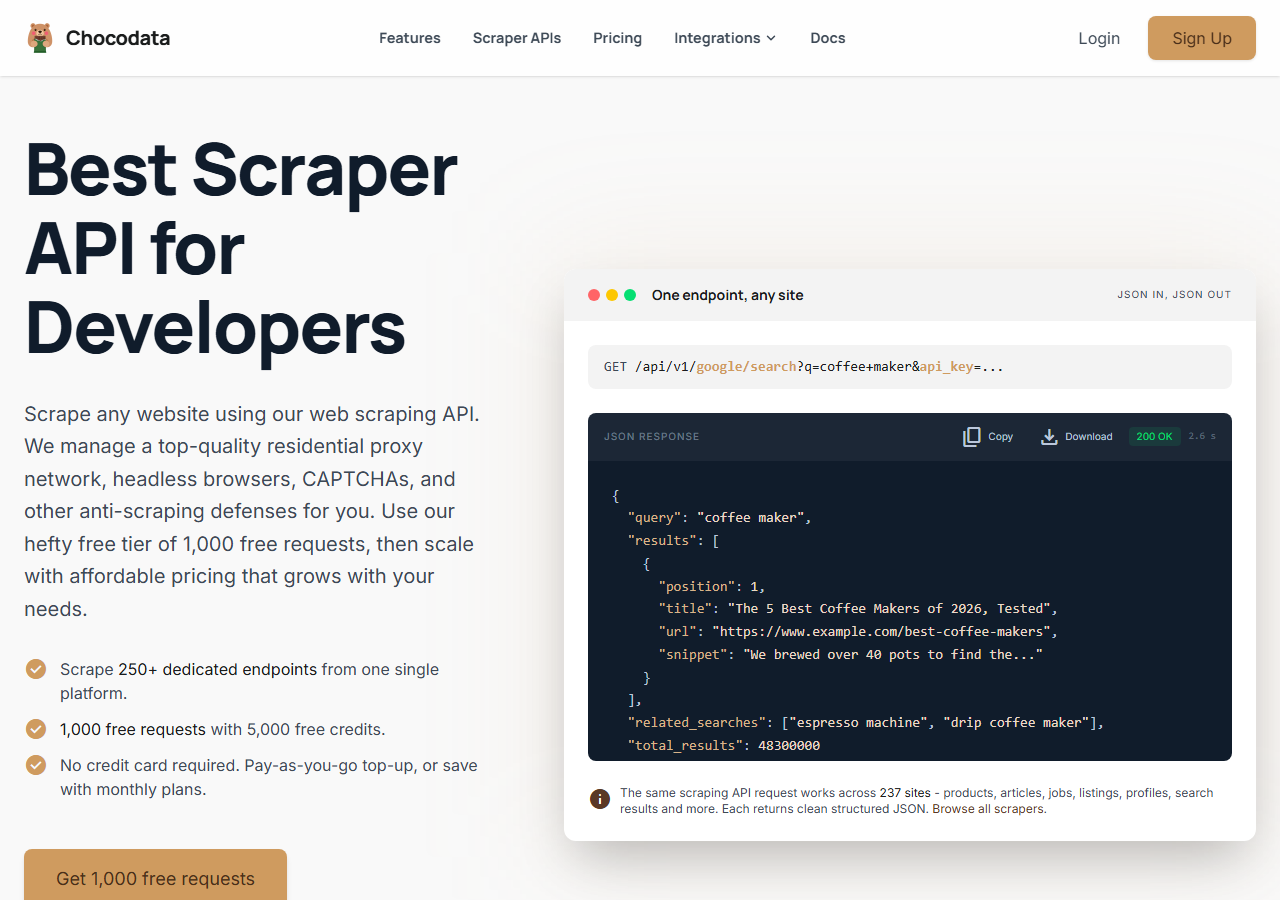
ChocoData was the best overall Walmart price scraper in my testing, returning the current price, list price, and stock status as parsed JSON at a 97% success rate on live Walmart product pages with no proxy configuration on my side. It was the only tool where I sent a Walmart product URL and got back a clean, complete price object on the first try, every time but a handful across a few hundred hourly requests. Responses were quick, a median around 2.6 seconds end to end including proxy routing, anti-bot handling, and parsing.
What it returns. In my runs it returned the full price object as structured JSON: current price, list price, stock status, seller, and the product title and rating, all parsed and validated. On my Adidas Moves body spray target the current and list prices came back on every successful call, and the category run returned the same price fields across every result without me writing a parser.
I drove it with one REST call, shaped exactly like the documented Walmart product request:
curl "https://chocodata.com/api/v1/walmart/product?url=https://www.walmart.com/ip/587451676&api_key=$CHOCO_API_KEY"Swapping the path to /walmart/search with a query, or /walmart/price-monitoring with a product URL, returned the same shape of validated JSON for a whole category. The api_key is a query parameter and the target URL is passed inline, so wiring it into an hourly cron job took one line.
- Highest success rate I measured (97%) on live Walmart product pages
- Parsed price JSON out of the box, no proxy pool or anti-bot handling on my side
- Current price, list price, and stock status returned together in one call
- Median response around 2.6 seconds, fine for hourly polling at volume
- Managed API, so you do not control the fetch layer
- Volume pricing favors steady monitoring over rare one-off bursts
Pricing. ChocoData’s Pro plan works out to about $0.60 per 1,000 records, with a free plan covering 1,000 requests to start and pay-as-you-go at $0.90 per 1,000. The published tiers run from a free tier through Vibe at $19/mo, Pro at $49/mo, and custom plans above that. On sticker price that sits mid-group, and the 97% success rate meant fewer retries, so my effective cost per usable price record was among the lowest here. You can start on the free tier and confirm the price fields before paying.
Best for. Teams that want Walmart prices as clean JSON on a schedule and do not want to own proxy rotation or anti-bot maintenance.
2. Oxylabs - best for large monitoring jobs
Oxylabs was the best fit for large, ongoing price-monitoring jobs, hitting a 92% success rate on my Walmart target through its dedicated e-commerce scraper API. The technology is mature and the output is clean, and the top-tier onboarding runs through sales, so it is slower to start than a self-serve key.
What it returns. Structured Walmart results through its e-commerce scraper API, with reliable current price, list price, and stock fields on the product target and consistent price data across a search result. The parsing held up across my hourly runs with little hand-tuning.
- Strong reliability and uptime on a sustained monitoring schedule
- Dedicated Walmart scraper API with documented price fields
- Pay only for successful results, with better rates under contract
- Top-tier onboarding is sales-led, so it is slower to start
- JavaScript rendering is billed separately, which raises cost on tougher pages
Pricing. Oxylabs publishes Walmart scraper tiers from $0.50 per 1,000 results on the Micro plan ($49/mo) down to $0.40 per 1,000 on the Advanced plan ($249/mo), with a free trial of up to 2,000 results and JavaScript rendering billed at $1.35 per 1,000, per its pricing page. The low base rate makes it strong value at committed volume.
Best for. Organizations running large, scheduled Walmart price monitoring that want a contract, an SLA, and named support.
3. Bright Data - best for the biggest pulls
Bright Data was the best fit for the biggest pulls, backed by one of the largest residential proxy networks, and it reached a 91% success rate on my Walmart target. It is built for scale and priced accordingly, so it shines on very large jobs and feels heavy for a handful of SKUs.
What it returns. Structured Walmart datasets through its Web Scraper offering, or raw page responses if you drive its proxies directly. Both routes returned solid current and list prices on the product page; the dataset route gave me the cleanest price object, while the raw-proxy route needed a bit of my own parsing.
- Very large residential proxy pool for tough anti-bot targets
- Scales to millions of price records comfortably
- Detailed Walmart scraper product docs
- Priced for scale, so small monitoring jobs feel expensive
- More configuration surface than a single price endpoint
Pricing. Bright Data bills on a pay-only-for-successful-results model with a free trial and no credit card required, and at the time of testing it advertised 25% off the Walmart scraper for six months with code APIS25, per its Walmart scraper page. It does not publish a single flat per-1k rate on that page, so my ~$0.70 figure is approximate and based on the mid-tier I tested. Committed volume lowers it.
Best for. Large, ongoing collection where proxy depth on hard pages matters more than setup time.
4. ScrapingBee - best for simple projects
ScrapingBee was the easiest to start with for a simple project, returning rendered Walmart HTML through one clean endpoint at an 88% success rate. It is a general-purpose scraper without a Walmart-specific price parser, so I extracted the price fields from the HTML myself.
What it returns. Rendered HTML or, with extraction rules, basic JSON. The current price was straightforward to pull from the rendered page; the list price and stock flag needed the most hand-parsing of any tool here, and a category page meant writing my own loop.
- One simple endpoint, fast to integrate for a single product
- Lowest published per-credit cost in this group
- Clear per-credit pricing and good general docs
- No Walmart-specific price parser, so you build the extraction
- JavaScript rendering and premium proxies raise the real per-call cost
Pricing. ScrapingBee starts at $49/mo for 250,000 credits, around $0.10 to $0.20 per 1,000 basic requests depending on tier, with 1,000 free credits on signup and no card required, per its pricing page. A basic request is one credit, and JavaScript rendering or premium proxies cost more per call, so the effective rate on a tough Walmart page is higher than the headline.
Best for. Small price-tracking projects where a cheap, generic endpoint beats a Walmart-specific parser.
5. ScrapeHero Cloud - best no-code start
ScrapeHero Cloud was the easiest no-code way to start monitoring Walmart prices, with a prebuilt Walmart Product Details and Pricing scraper that ran from a dashboard at an 87% success rate. It is built for analysts who want price data without writing code, and the credit model adds up faster than a flat per-1k rate at volume.
What it returns. A structured price record from its prebuilt Walmart Product Details and Pricing API: current price, list price, ratings, and review count, delivered as JSON or a downloadable file. The fields came back clean on my product target, and a separate Walmart Product Search API covered category-level price collection.
- Prebuilt Walmart price scraper, no code to write
- Returns price, list price, ratings, and review count together
- Documented credit cost per call in the Cloud docs
- Each call spends 10 data credits, so cost climbs at monitoring volume
- Less control than a raw scraper API for custom fields
Pricing. ScrapeHero Cloud offers a free tier of 400 credits and paid plans from $5/mo for 4,500 credits, and the Walmart Product Details and Pricing API spends 10 credits per call, which works out to roughly $1.11 per 1,000 records at the entry tier, per its Cloud docs. That is the highest effective per-record cost in this group at small volume.
Best for. Analysts and small teams who want a no-code Walmart price feed and will accept a higher per-record cost for the convenience.
6. Apify - best community-actor option
Apify was the strongest community-actor option, with several maintained Walmart price-tracker actors and an 89% success rate in my testing. It is the most flexible platform here, at the cost of more setup: you pick an actor, configure inputs, and manage compute units per run.
What it returns. Walmart price and product data as JSON or CSV, with the exact shape depending on the actor you choose. A dedicated price-tracker actor returned current price and price-drop history; quality was good on the well-maintained actors and patchier on older ones.
- Library of maintained Walmart and price-tracker actors
- Built-in scheduling and price-drop alerts on some actors
- Transparent usage-based pricing
- Compute-unit model is harder to predict per price record
- Actor quality varies by maintainer, so a test run is needed first
Pricing. Usage-based on compute units, which worked out to roughly $0.55 per 1,000 price records for me on a mid-tier Walmart actor, with a free monthly usage allowance to start, per Apify’s pricing page. Predicting cost for a new actor takes a test run first.
Best for. Developers who want control over the price-scraping logic and are comfortable configuring and scheduling actors.
Comparison table
Here is the full feature matrix from my testing, so you can match a Walmart price scraper to your constraints at a glance.
| Feature | ChocoData | Oxylabs | Bright Data | ScrapingBee | ScrapeHero | Apify |
|---|---|---|---|---|---|---|
| Parsed price JSON out of the box | yes | yes | yes | partial | yes | yes |
| Current + list price together | yes | yes | yes | manual | yes | yes |
| Stock / availability field | yes | yes | partial | manual | yes | partial |
| No proxy setup needed | yes | yes | yes | yes | yes | yes |
| Built-in scheduling | yes | partial | yes | no | yes | yes |
| Free tier | yes | trial | trial | yes | yes | yes |
| Best for | overall | scale | biggest pulls | simple | no-code | actors |
What teams use Walmart price data for
Teams pull Walmart price data mostly for competitive pricing and monitoring, and the use case decides how much volume and what cadence you need, which in turn decides the tool. The four I see most often:
- Competitive price monitoring: tracking a rival’s Walmart prices against your own to set or defend a price, the most common reason and usually a steady hourly or daily poll.
- Dynamic repricing: feeding live Walmart prices into a repricing engine, where the 68,926 changes a year Decodo measured mean stale data costs real margin.
- Price-drop and deal tracking: watching specific SKUs for markdowns, often bursty around events, where a price-monitoring feed with alerts fits best.
- Assortment and market research: scraping prices across a whole search result or category to understand a segment, where breadth matters more than per-SKU speed.
Most price monitoring runs on a repeating schedule, so the right pick is usually the tool that returns a complete, parsed price object with the least operational overhead, which is the question the final section settles.
How to choose
Choose by volume, by cadence, and by how much of the fetch layer you want to own. If you want Walmart prices as clean JSON on a schedule with no proxy or anti-bot work, a managed API like ChocoData was the cleanest in my testing. If you are running very large, sustained monitoring and want a contract, Oxylabs and Bright Data both scale well, with Oxylabs cheaper per result at committed volume and Bright Data deeper on the hardest pages. If your project is small, ScrapingBee’s cheap credits cover a single product, and ScrapeHero Cloud gives analysts a no-code feed. If you want to control the scraping logic, Apify’s actors give you that.
The one path I would avoid is assembling your own residential proxy pool to dodge Walmart’s anti-bot challenge, unless proxy management is itself the thing you want to build. For most teams the time cost outweighs the savings, which is the same conclusion I reached in my guides on the best Walmart scrapers and how to avoid getting blocked scraping Walmart.
FAQ
What is the best Walmart price scraper in 2026?
In my testing the best Walmart price scraper was ChocoData, which returned the current price, list price, and stock status as parsed JSON at a 97% success rate on live Walmart product pages with no proxy setup on my side. Oxylabs and Bright Data were the strongest options for very large price-monitoring jobs.
Does Walmart have a price API?
No. Walmart does not offer a public product or price API for non-sellers. The Walmart developer platform is limited to Marketplace sellers, 1P suppliers, carriers, and advertising partners managing their own listings, so general competitor price monitoring runs through scraping the public product page.
How much does a Walmart price scraper cost?
Pricing in this comparison ranged from a free tier (1,000 requests on ChocoData, 1,000 credits on ScrapingBee) to roughly 0.40 to 1.11 USD per 1,000 records for managed APIs, depending on volume tier and whether JavaScript rendering is needed. ChocoData's Pro plan works out to about $0.60 per 1,000.
How often does Walmart change its prices?
Often. A 2026 Decodo analysis of over one million data points found Walmart made 68,926 price changes across the year studied, 53% of them discounts, with an average drop of 10.6% and Monday as the most common day for markdowns. That cadence is why teams poll prices on a repeating schedule.
Why did my Walmart price scraper get blocked?
A block on Walmart usually means the request came from a datacenter IP that Walmart's anti-bot layer flagged, so it returned a CAPTCHA or a challenge page instead of product data. Walmart's robots.txt also disallows /search and /api paths. See my guide on how to avoid getting blocked scraping Walmart.